
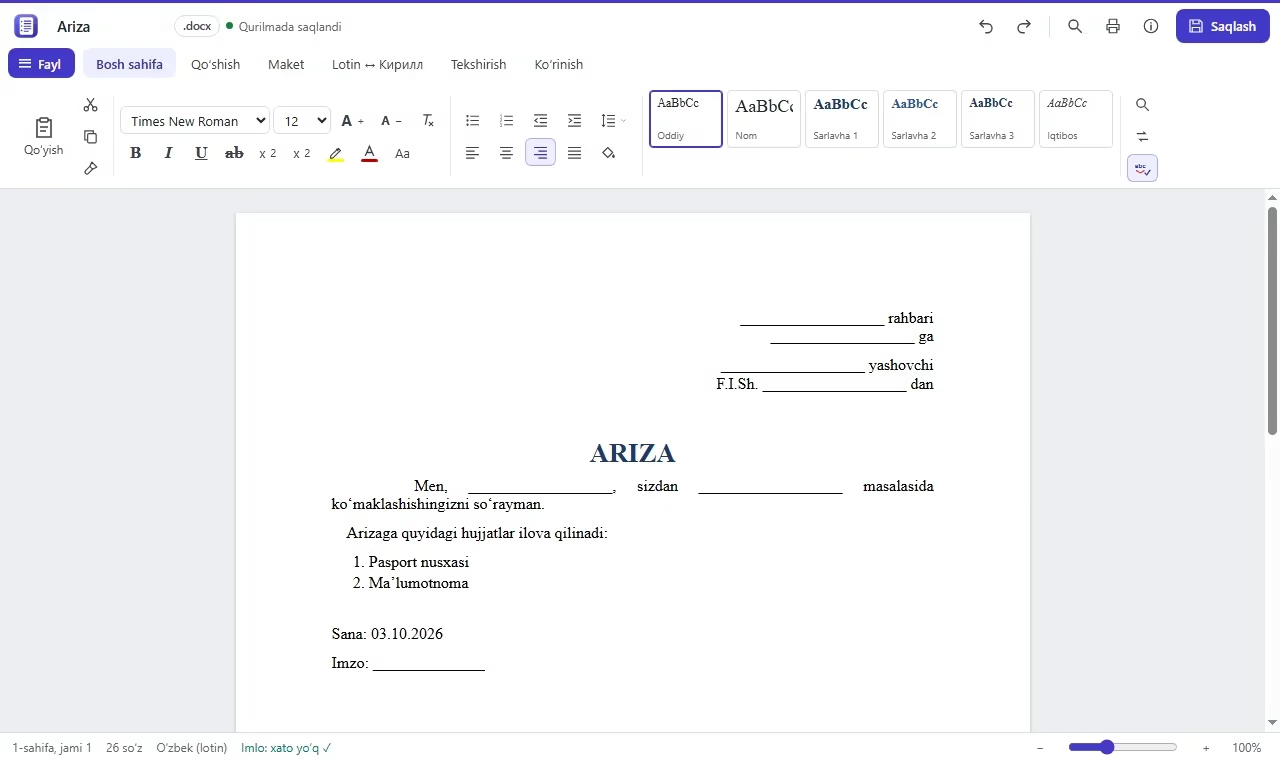
Ofisbop Hujjat is a word processor. It opens Word files (.docx and older .doc), lets you edit them and saves them back as .docx, so the person you send the file to can open it in Microsoft Word or any other program. You can switch the interface between Uzbek, Russian and English.
What you can do
- Fonts, heading styles, numbered and bulleted lists
- Tables, images, page numbers, headers and footers
- Official document margins in one click: 2 cm top and bottom, 3 cm left, 1.5 cm right
- Offline Uzbek spell checking
- Convert a whole document between Latin and Cyrillic script, or to the new Uzbek alphabet
- Save as PDF; print as a booklet, double-sided or 2 and 4 pages per sheet (desktop version)
- Version history, so you can go back to an earlier state
Formats
| Format | What happens |
|---|---|
| .docx, .docm | Opens and saves |
| .doc | Opens, saves as .docx |
| .dotx, .dot | Creates a new document from the template |
| .rtf, .odt | Opens and saves |
Online or on your computer
You can create a document in the browser without installing anything: ofisbop.uz/app. There is no sign-up, and the file is not uploaded to our server. It opens inside your browser and is saved to your computer. The apps for Windows, macOS, Linux and Android add a print center (booklets), Google Drive backup and full offline use.
Frequently asked questions
Does Ofisbop open Word files?
Yes. It opens and edits .docx and .doc files and saves them as .docx, which Microsoft Word can open too.
Can I use it online without installing?
Yes, at ofisbop.uz/app. You don’t need an account.
Is this Microsoft Word?
No. Ofisbop is VIJDON LLC’s own software and is not affiliated with Microsoft. It works with files in Word format.
Is it free?
Yes. Ofisbop is free and has no ads.